
Written and edited by Chandan Bhattacharjee
Editor, IndiFinance | MBA, Economics (Hons.) | Indian | Writes & Teaches Finance, Marketing, Business, Technology & AI
Independent editorial. No paid placements.
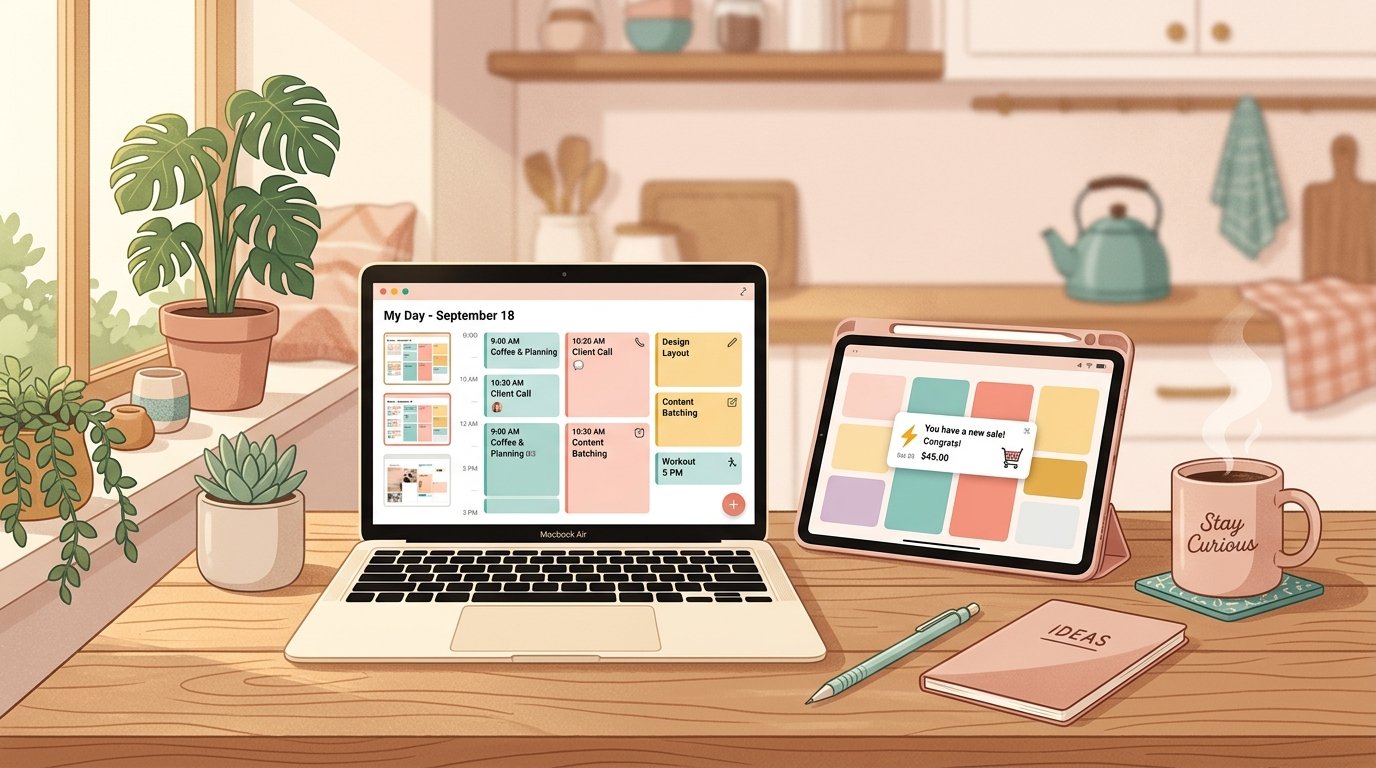
It’s 9:47 PM on a Tuesday, and Jamie is sitting at the kitchen table in suburban Columbus, Ohio, hunched over a laptop instead of grading spelling tests. Jamie teaches third grade. Jamie also can’t stop thinking about the budget planner she built in Canva three weekends ago — color-coded categories, a debt payoff tracker, a little motivational quote on page one.
She uploads it to Etsy at 9:52 PM, sets the price at $7, and goes to bed half-convinced she just wasted a perfectly good evening.
By Thursday, she has three sales. By the following month, she has 41. At $7 a pop, minus Etsy’s cut, that’s roughly $230 in profit — for a file she built once and will sell forever. Eighteen months later, Jamie’s planner shop brings in about $1,400 a month, on top of her teaching salary, from eleven products she built almost entirely on weekends.
This is the real, unglamorous version of selling PDF templates and planners online. No six-figure screenshot, no “quit my job” plot twist — just a teacher with a laptop, a few smart platform choices, and a willingness to keep going after the first slow month. Here’s exactly where people like Jamie sell, what each platform actually costs, and what the realistic income looks like once the math is done.
Why This Is Still a Real Opportunity in 2026
The PDF and printable market has been called “saturated” every year since roughly 2019, and it keeps growing anyway. Etsy alone reported close to $12 billion in gross merchandise sales in 2025, and digital downloads — printables, templates, SVG files, planners — remain one of the highest-margin categories on the platform, because there’s no shipping, no inventory, and no marginal cost per sale once the file exists.
What’s actually changed is the bar for quality. AI tools have made it trivially easy to spit out a generic 12-page planner in twenty minutes, and thousands of people have done exactly that — which means the sellers who specialize, design well, and pick a narrow audience are the ones still breaking through. The opportunity hasn’t shrunk. The tolerance for lazy, generic products has.
The Best Places to Sell PDF Templates and Planners
There’s no single “best” platform — there’s a best platform for where you are right now. Here’s the honest breakdown of the six places real sellers use, with the actual fee math.
Etsy — Best for Built-In Buyer Traffic
Etsy is where most planner and printable sellers start, for one simple reason: roughly 86 million active buyers are already searching for exactly this kind of product. You’re not building an audience from zero — you’re tapping into shoppers who type “budget planner printable” into a search bar and expect to find dozens of options.
The fees stack in layers: a $0.20 listing fee (renewed every four months or upon each sale), a 6.5% transaction fee, payment processing around 3% plus $0.25 per order, and a one-time $15 shop verification fee. If a buyer finds you through Etsy’s offsite ads program and purchases within 30 days, an additional 12–15% comes off the top.
On a $7 sale like Jamie’s, total fees run roughly $1.05–$1.20, leaving her with about $5.85–$5.95 — close to 84% of the sale price. On an $18 digital planner with hyperlinked tabs for GoodNotes or Notability (a popular, higher-priced sub-niche), sellers typically keep around $15.60 after fees, since the percentage-based costs stay proportionally similar.
Best for: First-time sellers who want immediate search traffic without building an audience first.
Gumroad — Best for Creators With an Existing Following
Gumroad doesn’t have Etsy’s built-in shopper traffic, but it’s the fastest platform to set up and the most popular with creators who already have a blog, YouTube channel, or social following sending people directly to a product link.
The fee structure is simpler: 10% plus $0.50 per direct sale, no monthly cost. If a buyer finds your product through Gumroad’s internal Discover marketplace rather than your own link, the fee jumps to a flat 30%. Since becoming a registered Merchant of Record in 2025, Gumroad also automatically handles international sales tax and VAT compliance — a genuinely useful feature if a meaningful chunk of your buyers are outside the US.
On a $15 planner sold through your own link, Gumroad takes about $2 in total fees, leaving roughly $13. The tradeoff: that 10% doesn’t shrink as you scale. A creator doing $8,000/month in direct Gumroad sales is handing over $800/month — more than most dedicated storefront platforms would charge at that volume.
Best for: Creators with existing traffic (blog, email list, social following) who want zero setup friction.
Creative Market — Best for Premium, Design-Forward Templates
Creative Market is a curated marketplace specifically for design assets — fonts, Canva templates, web themes, planners, and similar polished, design-forward products. It puts your work in front of roughly 11 million members, and the platform has produced some genuinely large success stories: shop owner Nicky Laatz has reportedly earned over $1 million selling templates and fonts there.
The catch is the commission: Creative Market keeps 50% of the list price by default, and seller sentiment on this is decidedly mixed — plenty of designers report that on a $25 sale, they’re left with closer to $7–$12 after commission and membership-program discounts are factored in. It’s a real audience with real buying intent, but go in understanding that you’re trading roughly half your revenue for that exposure.
Best for: Designers with a polished, professional aesthetic targeting other creators and small businesses, not casual consumers.
Payhip — Best Low-Fee Option for Bootstrapped Sellers
Payhip flies under the radar but is one of the most creator-friendly platforms on fees specifically. The free plan charges just 5% per sale — half of Gumroad’s rate — with all core features included. A $29/month Plus plan drops that to 2%, and a $99/month Pro plan eliminates transaction fees entirely.
On a $12 template sold through the free plan, you’d pay about $0.60 in fees, keeping roughly $11.40. Payhip also handles VAT and international tax compliance automatically, similar to Gumroad, which matters more than it sounds like once you have buyers in a dozen different countries.
Best for: Sellers who want Gumroad-style simplicity with meaningfully lower fees and don’t need marketplace discovery.
Sellfy — Best for a Branded Storefront Without Building a Full Website
Sellfy sits between a marketplace and a full website: you get a clean, mobile-friendly storefront under your own branding, without the technical lift of building a Shopify site from scratch. Paid plans run $22–$119/month depending on volume, but charge zero transaction fees — meaning at higher sales volume, Sellfy can end up cheaper per dollar than percentage-based platforms.
One Sellfy seller, Aly of Neat Pages PH, built a full storefront of Notion templates, life-audit planners, and budget spreadsheets entirely through the platform. Sellfy creators collectively sell an average of around 32,000 printable products a year across the platform, which gives a sense of real, sustained consumer demand for this exact product category.
Best for: Sellers who’ve validated demand elsewhere and want a branded storefront without committing to a full e-commerce build.
- 8 Best Websites to Sell PDF Templates & Planners in 2026 Ready to sell digital planners online but not sure where? We compare Etsy, Gumroad, Payhip, Sellfy,…
- How to Make Money With Pinterest Affiliate Marketing in 2026 A warm, no-fluff 2026 guide to Pinterest affiliate marketing—how it works, the rules that keep your…
- How to Make Money While You Sleep With AI (No Hype) The truth about using AI to make money while you sleep: which tools actually work, how…
- How to Make Money Creating Notion Templates in 2026 A no-fluff guide to making money creating Notion templates in 2026 — how to pick a…
Your Own Store (Shopify or WooCommerce) — Best for Long-Term Control
Once you have a proven product and steady repeat sales, your own store removes the platform tax entirely on traffic you generate yourself — email list, Pinterest, social — while keeping marketplace listings running in parallel for discovery.
Shopify’s Basic plan runs $39/month ($29/month billed annually), plus a 2.9% + $0.30 processing fee per online transaction through Shopify Payments. On a $20 planner bundle, that’s about $0.88 in processing fees — versus roughly $2.30–$3.30 you’d lose to Etsy or Gumroad on the same sale. The monthly fee only pays for itself once you’re doing consistent volume, which is exactly why this is a “graduate to” platform rather than a starting point.
The pattern successful sellers follow: validate on a marketplace (Etsy, Gumroad, or Creative Market), build an email list from those buyers, then shift higher-margin repeat sales to your own store once you have proof the product sells. Most sellers run two channels simultaneously rather than picking one and abandoning the others.
Platform Comparison at a Glance
| Platform | Typical Fees | Built-In Traffic? | Best For |
|---|---|---|---|
| Etsy | $0.20 listing + 6.5% + ~3%+$0.25 processing | Yes — 86M+ buyers | First-time sellers |
| Gumroad | 10% + $0.50 (30% via Discover) | Limited | Creators with a following |
| Creative Market | 50% commission | Yes — 11M members | Premium design templates |
| Payhip | 5% (free), 2% ($29/mo), 0% ($99/mo) | No | Lowest fees, bootstrapped sellers |
| Sellfy | $22–$119/mo, 0% transaction fee | No | Branded storefront at scale |
| Shopify / own store | $39/mo + 2.9%+$0.30 | No — you drive traffic | Long-term control, repeat buyers |
What Sellers Actually Earn: The Real Numbers
Here’s where most “sell PDFs online” content gets vague, so let’s get specific. Across digital-product-only Etsy shops, the average reported figures are roughly $2,444 in monthly revenue and $489 in monthly profit. That’s an average, not a ceiling — and the spread underneath it is wide:
- Beginner sellers (months 1–6): $50–$500/month, while learning Etsy SEO and building out the first 10–20 listings.
- Consistent part-time sellers (6–18 months in): $500–$2,000/month, typically with 50–150 active listings in a focused niche.
- Full-time-equivalent sellers: $2,000–$7,000/month, usually requiring a diversified catalogue and consistent new-listing activity.
- Top-tier shops: $10,000–$50,000+/month, almost always built over 2+ years with hundreds of listings and a recognizable brand.
The uncomfortable but useful context: industry surveys also suggest a meaningful share of casual sellers earn under $100 a year, because they list a handful of products once and never optimize, restock, or market again. The gap between that group and Jamie’s $1,400/month isn’t luck — it’s that Jamie kept adding products and refining her best-sellers for a year and a half straight. Side income that compounds almost always rewards consistency over any single brilliant idea.
How to Price Your Templates and Planners
Pricing is where a lot of new sellers leave real money on the table — usually by going too cheap, assuming low prices drive volume. The data says otherwise in this category.
| Product Type | Typical Price Range |
|---|---|
| Simple single-page printable (checklist, tracker) | $2–$6 |
| Standard printable planner (weekly/monthly) | $5–$15 |
| Digital planner with hyperlinked tabs (GoodNotes/Notability) | $10–$35 |
| Premium planner with extensive customization | $25–$60 |
| Bundle pack (planner + stickers + inserts) | $30–$75 |
| Niche Notion or Canva template system | $15–$50 |
The clearest 2026 trend among experienced sellers: bundling outperforms single-item pricing. Instead of selling a standalone $3 grocery list, successful shops package it into a $12–$15 “Complete Home Management Binder” with 30–50 pages. The production cost barely changes — it’s the same design system applied to more pages — but the perceived value, and the price a buyer will accept, both increase substantially.
Common Mistakes to Avoid
Picking a topic too broad to win
“Budget planner” competes against thousands of nearly identical listings. “Budget planner for irregular freelance income” or “debt payoff tracker for couples paying off a joint car loan” competes against a tiny fraction of that — and converts at a noticeably higher rate because the buyer feels like the product was made specifically for them.
Listing once and walking away
Etsy’s 2025–2026 algorithm rewards shops that stay active — adding new listings, refreshing old ones, and responding to reviews. A shop that hasn’t touched its listings in eight months will rank below an identical shop that updated last week, even with comparable review counts.
Underpricing out of fear
A $3 planner has to sell three times as often as a $9 one to generate the same revenue, and buyers searching for planners and printables are rarely price-sensitive at the $5–$20 range — they’re outcome-sensitive. They want the result the product promises, not the cheapest file in the search results.
Skipping the AI-disclosure requirement
If any part of your design — layout, cover art, written content — was AI-generated, Etsy requires you to disclose that in your listing. Skipping it risks suppression or removal once flagged, which is a far worse outcome than simply checking the honest box.
Treating one platform as the whole strategy
Sellers who diversify across at least two channels — say, Etsy for discovery and a small Gumroad or Payhip store for direct, lower-fee sales — protect themselves against a single algorithm change or policy shift wiping out their income overnight.
Your 7-Day Action Plan to Launch
- Day 1 — Pick a narrow audience and problem. Not “planners” — “weekly meal planning for a family with two picky eaters” or “budget tracker for someone paying off $20,000 in student loans.” Search Etsy for your idea and study the top 10 listings: what’s missing that you could add?
- Day 2 — Sketch the structure in Canva or your design tool of choice. Map out every page before you design a single one. A 20-page planner needs a logical flow, not just 20 pretty pages stapled together.
- Day 3–4 — Design the full product. Build it once at high quality rather than rushing five mediocre versions. Export as a clean, properly compressed PDF, and test every hyperlink if you’re building a digital (tablet-use) planner.
- Day 5 — Set up your primary platform. Open your Etsy shop (or Gumroad/Payhip account), write a benefit-driven title and description using real buyer search terms, and price inside the ranges above.
- Day 6 — Create supporting materials. A simple “how to download and use this” PDF reduces support questions dramatically, especially for digital planners that need app-specific instructions for GoodNotes or Notability.
- Day 7 — Publish, disclose AI usage honestly if applicable, and share it. Post in relevant Pinterest boards, Facebook groups, or your own social following. The first sale rarely comes from the marketplace algorithm alone — it usually comes from a nudge you gave it.
Frequently Asked Questions
What’s the best website to sell PDF templates and planners as a complete beginner?
Etsy is the most common starting point because it has built-in buyer traffic — you don’t need an existing audience to make your first sale. The tradeoff is layered fees (roughly 14–16% combined in most cases) and more competition. Gumroad or Payhip are better choices if you already have followers, an email list, or a blog sending traffic directly to you.
How much can you realistically make selling planners and printables online?
Beginners typically see $50–$500/month in the first six months. Consistent part-time sellers with a focused catalogue often reach $500–$2,000/month within a year to eighteen months. Full-time-equivalent income ($2,000–$7,000/month) generally requires a diversified product line and ongoing marketing effort, and the top tier ($10,000+/month) is usually the result of two or more years of consistent work, not a single viral listing.
Do I have to disclose if I used AI to design my templates?
Yes, on most major platforms. Etsy requires sellers to check an “AI-generated” disclosure box if AI tools created the core design or content of a listing. Failing to disclose, if discovered, can result in a listing being suppressed or removed — disclosing honestly carries no such penalty.
Is it better to sell on a marketplace or build my own store?
Most successful sellers do both, in sequence. Start on a marketplace like Etsy or Gumroad to validate that your product actually sells and to build an email list of buyers. Once you have consistent, repeatable sales, add your own store (Shopify, Sellfy, or similar) to capture higher margins on direct traffic, while keeping the marketplace listing running for ongoing discovery.
Which platform takes the smallest cut of each sale?
Payhip’s free plan, at 5% per sale, is the lowest percentage-based fee among major creator platforms — and its paid tiers ($29/month for 2%, $99/month for 0%) go even lower at volume. Sellfy charges no per-transaction fee at all on its paid plans ($22–$119/month), which can beat every percentage-based platform once your monthly sales volume is high enough to justify the flat fee.
What kind of planner or template sells best right now?
Specific, problem-solving niches consistently outperform generic ones: budget planners for irregular or freelance income, digital planners with hyperlinked navigation for GoodNotes and Notability, Notion-based business systems for small business owners, and bundled “complete binder” packages that combine several related printables into one higher-priced product.
The Bottom Line
If you’re trying to figure out where to sell PDF templates and planners online, the honest answer is: start where the buyers already are, and add your own storefront once you know what sells. Etsy gets you in front of people searching today. Gumroad and Payhip reward anyone with an existing audience and a lower appetite for fees. Creative Market and Sellfy fit specific niches — premium design assets and branded storefronts, respectively. None of them is a shortcut around building something genuinely useful.
Jamie’s planner shop didn’t take off because of a clever algorithm hack. It took off because she kept making products, kept refining the ones that sold, and treated month four’s disappointing numbers as information instead of a verdict. That’s the entire playbook, really — pick a platform that matches where you are today, build something specific enough to matter to one real person, and give it longer than a month to prove itself.
Ready to go deeper on the financial side of a side income like this? Check out our guides on how self-employment tax works for side hustle income and building a side hustle around a full-time job to make sure your new income stream is set up the smart way from day one.